Four production mobile applications. One end-to-end mobile engineering ownership.
I owned the mobile development lifecycle for four production healthcare applications — from initial React Native development through Expo migration, optimization, CI/CD, and production releases.
StackReact Native, Expo, TypeScript, Location, Push notifications, CI/CD
- Production apps
- 4
- LIMS users
- ~10K
- Migrated in production
- RN → Expo
- Both platforms shipped
- Android + iOS
- End-to-end ownership
- A → Z
- Builds and store releases
- CI/CD
Four applications, one workflow.
The apps are not four separate products that happen to share a name. They are four views onto the same journey — a test ordered, a sample collected, a report returned.
The sample journey
 Lab / LIMSAndroid and iOS
 Phlebotomist AppAndroid and iOSLab / LIMSProcessing
 Doctor AppAndroid and iOS
Alongside it
 Partner AppAndroid
Product workflow only. The backend behind these applications was not part of my scope — my ownership was the four mobile clients.
Four apps, built from empty projects.
Each app below separates what the product does from what I personally owned and built — because those are two different claims.
Flabs LIMS / Pathology App
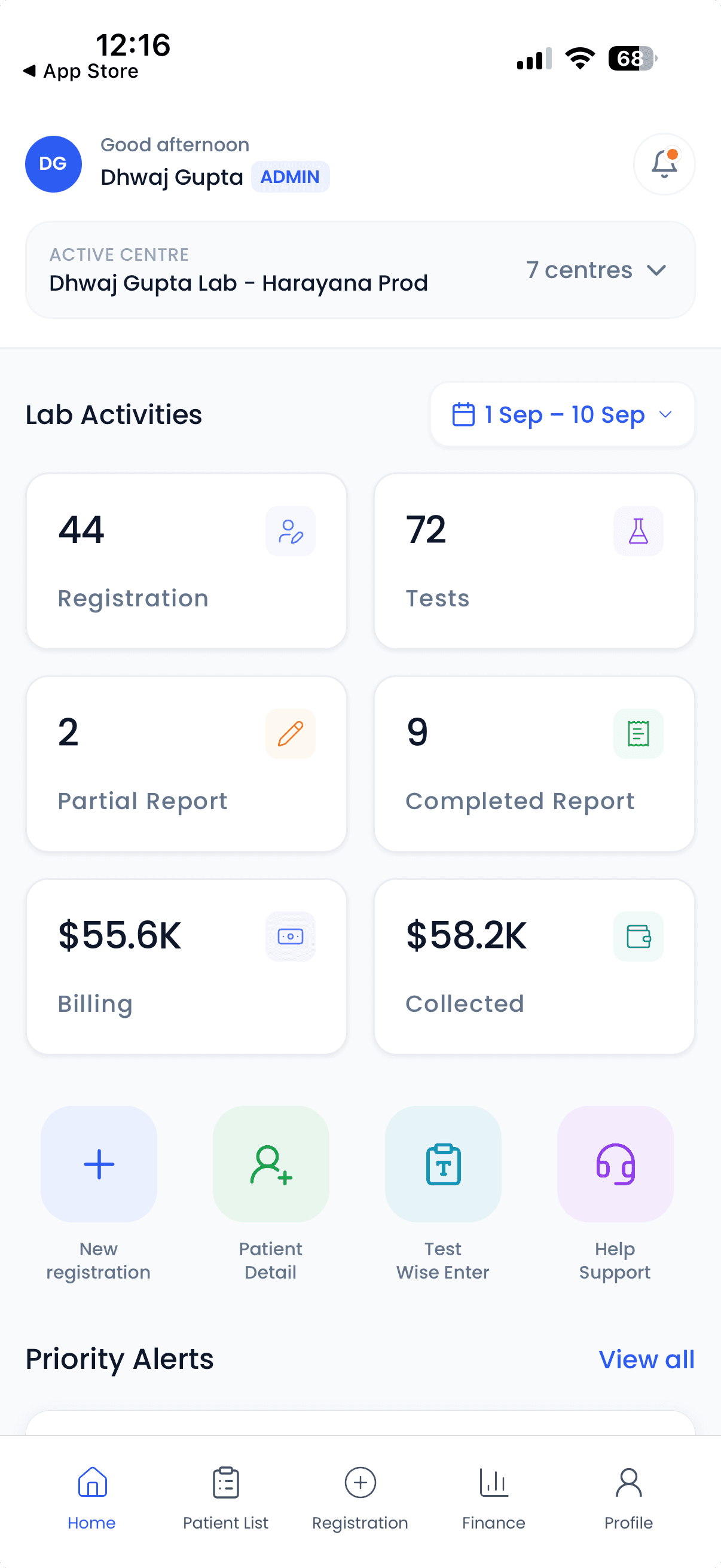
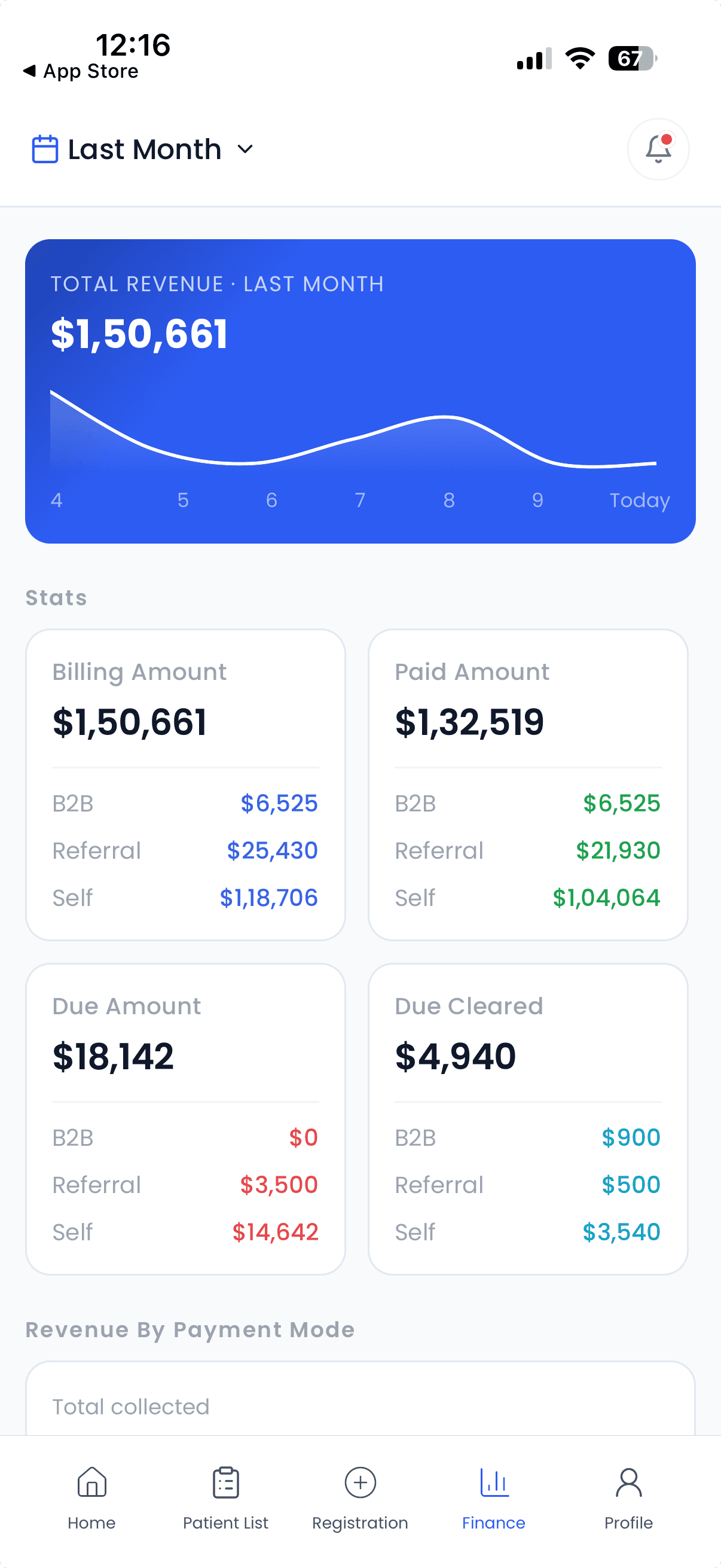
The pathology laboratory application at the centre of the platform — where patients are registered, tests move through the lab, and reports come out the other side.
- Platforms
- Android and iOS
- Approx. users
- ~10K
- My role
- End-to-end Mobile Engineer
React NativeExpoTypeScriptAndroidiOSWhat the app does
- Patient registration
- Patient and test workflows
- Report and laboratory workflows
- Machine interfacing
- Payments and notifications
- Role-based access
- Multi-branch workflows
What I built
- Built from scratch
- React Native → Expo migration
- Implemented the mobile feature set
- Push notifications
- Lower-end device optimization
- CI/CD using the Expo workflow
- Android and iOS release management
Flabs Doctor App
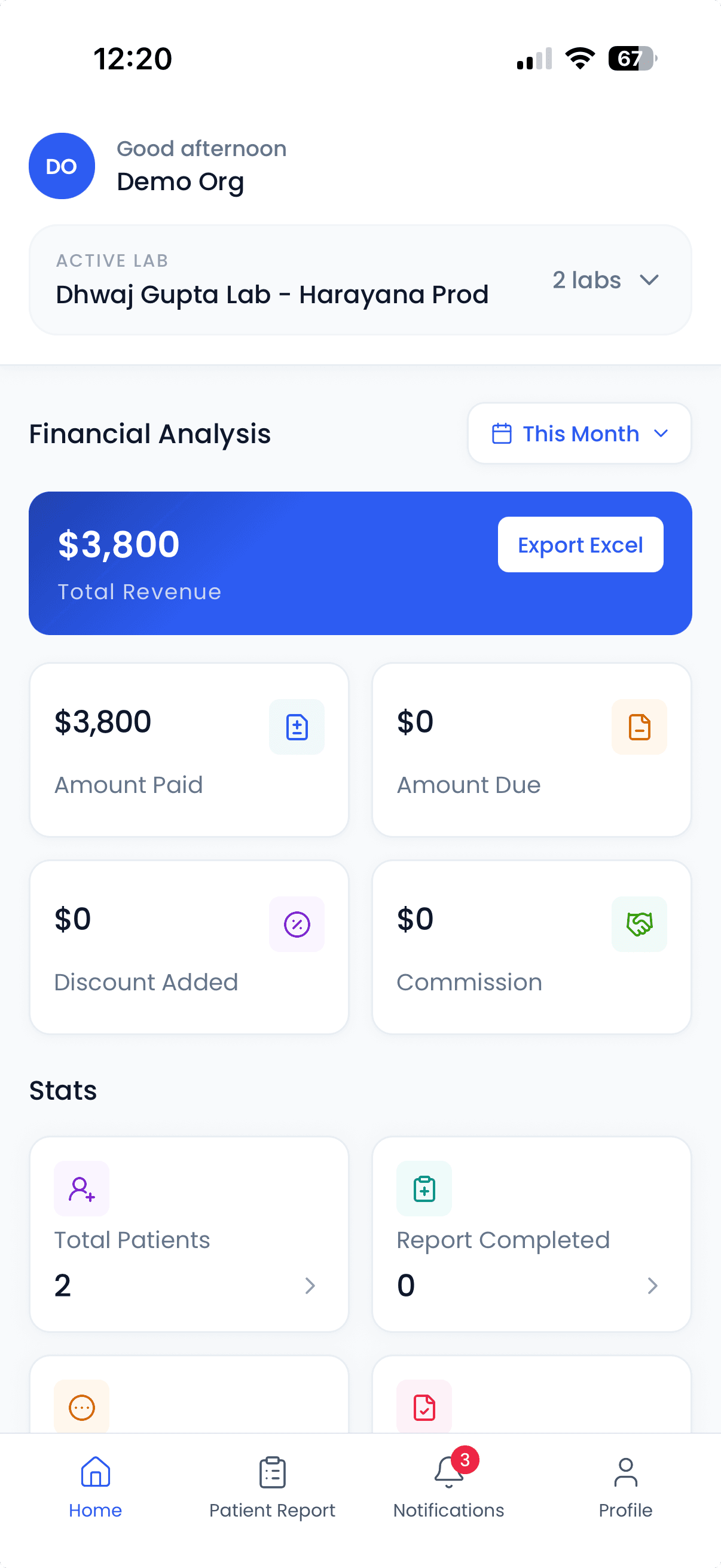
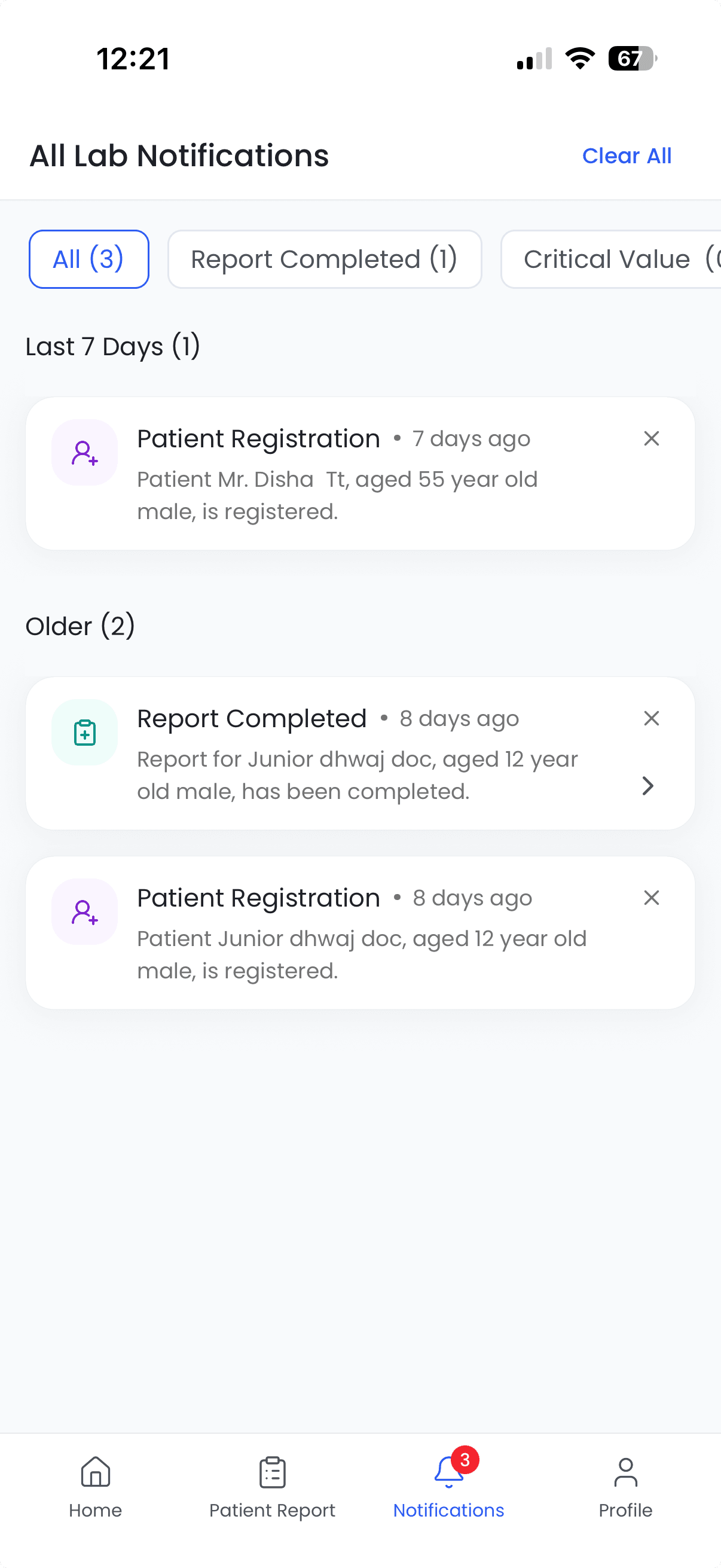
The referring doctor's window into the lab — where a referral is tracked from the moment it is made through to the report landing back in the doctor's hands.
- Platforms
- Android and iOS
- Approx. users
- 500+
- My role
- End-to-end Mobile Engineer
React NativeExpoTypeScriptAndroidiOSWhat the app does
- Doctor referral workflow
- Referral tracking
- Patient and test status
- Report access
- Commission and referral information
- Notifications
What I built
- Built from scratch
- React Native → Expo migration
- Referral and report workflows
- Push notifications
- Lower-end device optimization
- CI/CD
- Android and iOS production deployment
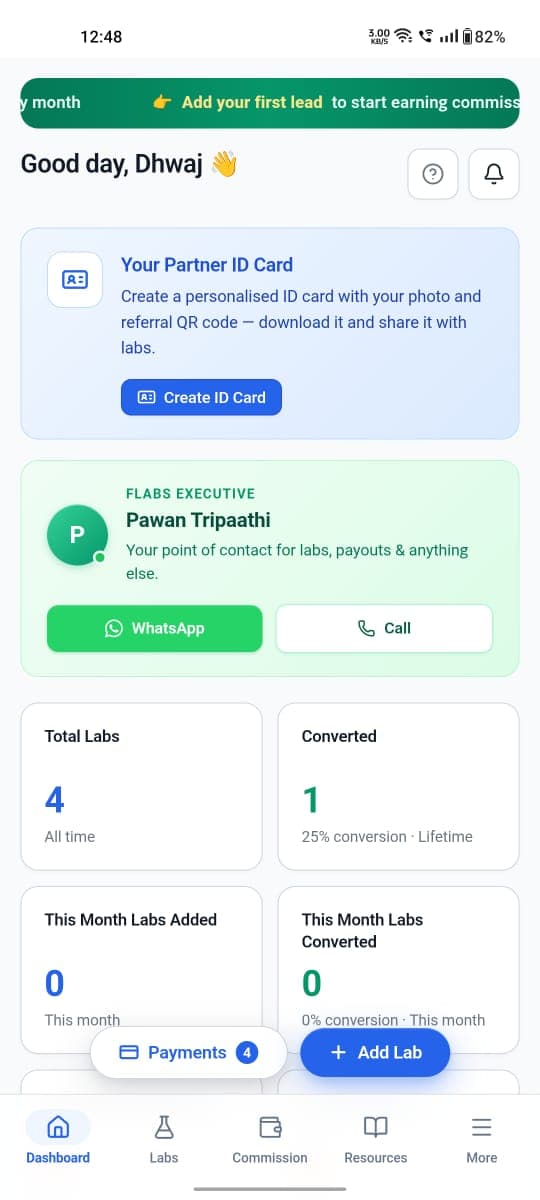
Flabs Partner App
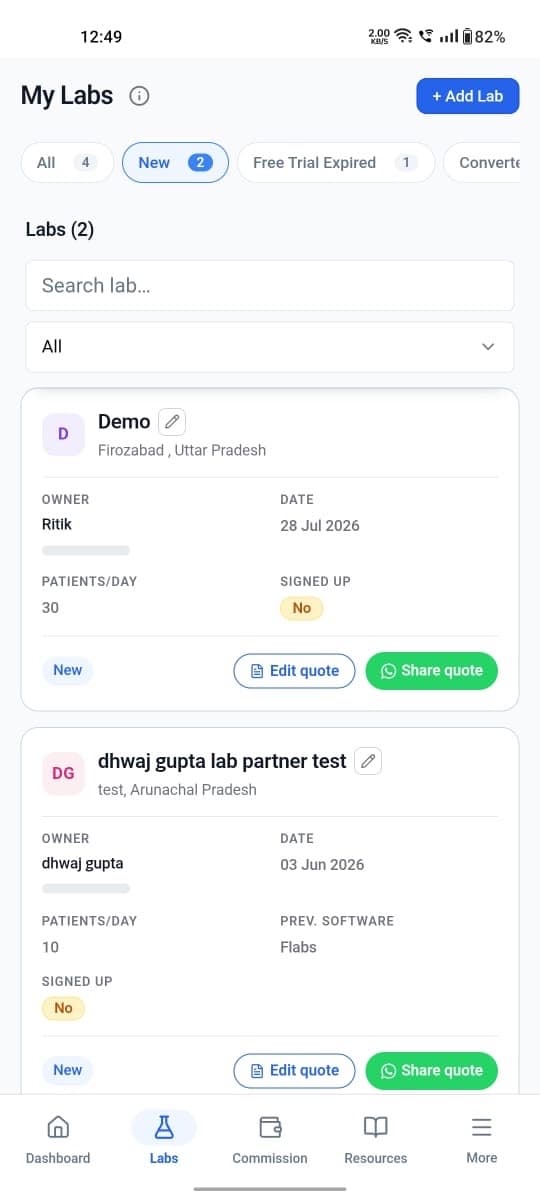
The partner and referral side of the business — bringing labs onto the platform and following the pipeline and commissions that follow from it.
- Platforms
- Android
- Approx. users
- 500+
- My role
- End-to-end Mobile Engineer
React NativeExpoTypeScriptAndroidWhat the app does
- Partner and referral management
- Dashboard
- Add labs
- Referral links
- Lab pipeline
- Commission tracking
- Bank details, resources and support
- Notifications
What I built
- Built from scratch
- React Native → Expo migration
- Partner and referral workflows
- Push notifications
- Device optimization
- CI/CD using the Expo workflow
- Google Play production deployment
Flabs Phlebotomist App
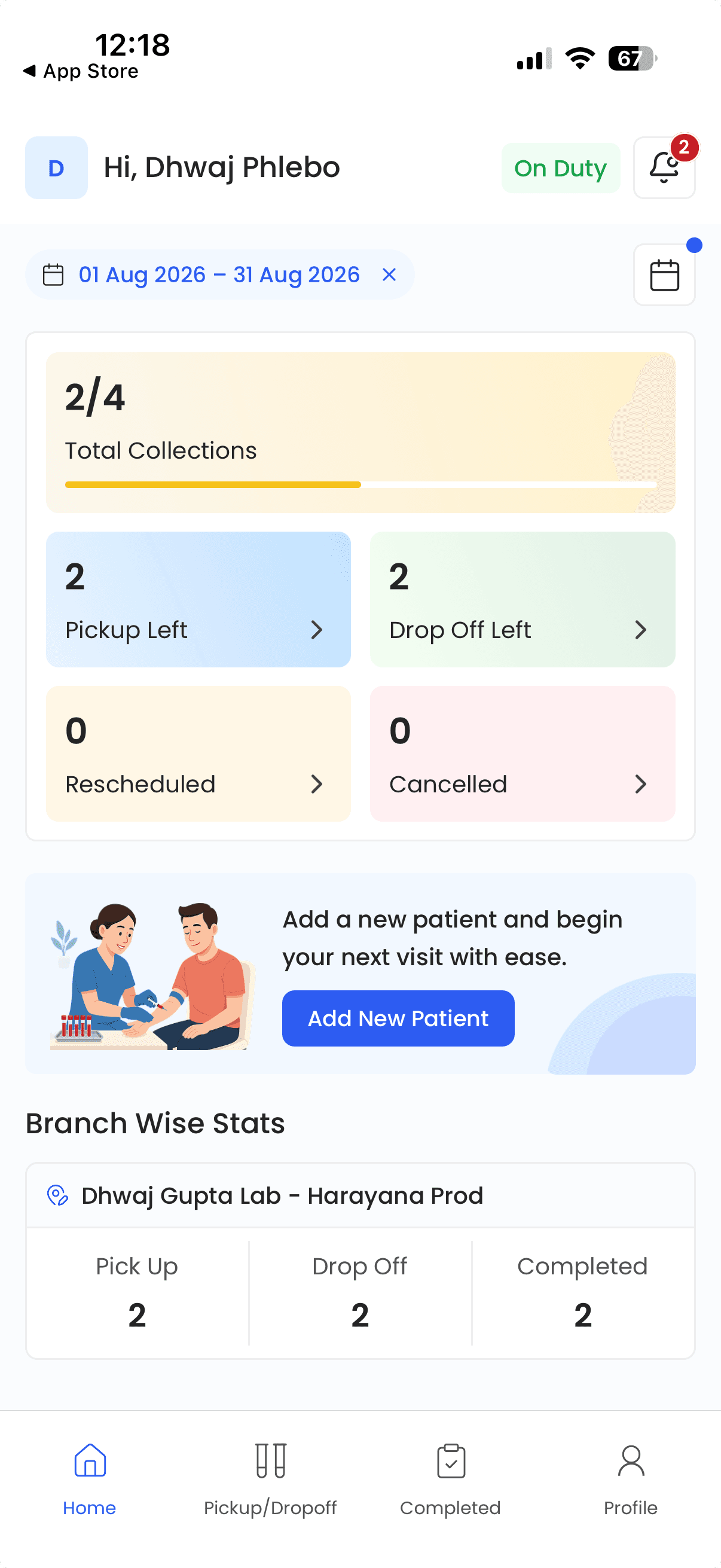
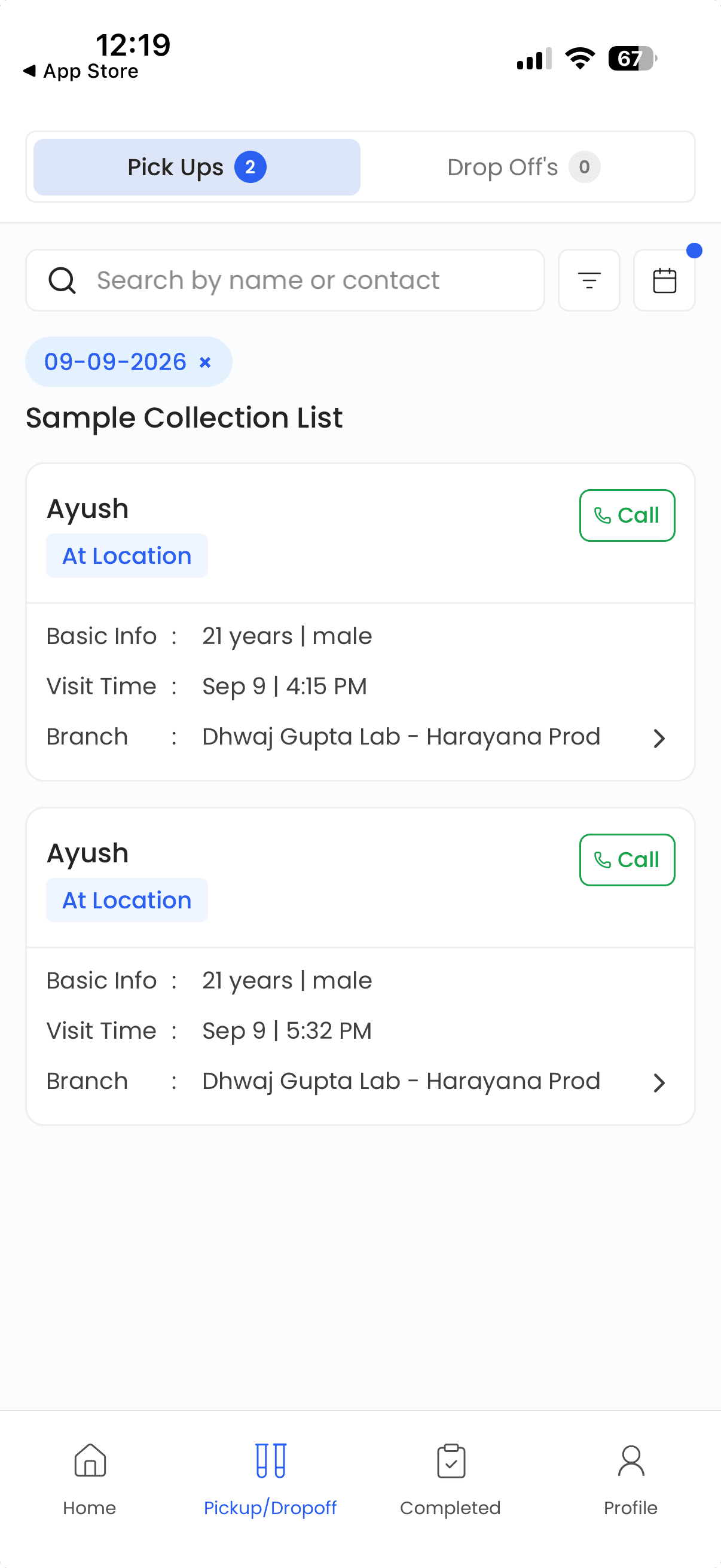
The field application, and the hardest of the four to build. Phlebotomists carry it between visits, collecting samples and moving across a city while the app keeps track of where they are.
- Platforms
- Android and iOS
- Approx. users
- 100+
- My role
- End-to-end Mobile Engineer
React NativeExpoTypeScriptLocationAndroidiOSWhat the app does
- Field phlebotomist workflow
- Pickup and drop-off management
- Patient and sample collection workflow
- Tasks and visits
- Route and navigation support
- Live location tracking
- Availability, routes and coverage
What I built
- Built from scratch
- React Native → Expo migration
- Background location tracking
- Maps and location functionality
- Push notifications
- Lower-end device optimization
- CI/CD
- Android and iOS deployment
“What the app does” describes the applications. “What I built” describes my contribution — the mobile clients, end to end.
Keeping location tracking alive when the app isn't in the foreground.
The Phlebotomist application needed location tracking while field workers were moving between visits. The difficult part wasn't simply reading GPS coordinates — it was making location tracking behave reliably under real mobile-operating-system constraints while keeping battery consumption under control.
Background execution
Location has to keep arriving when the app is not the thing on screen — the phlebotomist is driving, talking to a patient, or has the phone in a pocket.
A locked screen
The app spends much of the working day backgrounded or behind a lock screen, which is exactly the state both platforms are most aggressive about suspending.
Android and iOS restrictions
Each platform has its own rules for what a backgrounded app may do and for how long. The same tracking behaviour has to be expressed twice, in two different sets of constraints.
Location permissions
Background location is a permission users grant separately, can decline, and can revoke later — so the app has to handle every one of those states, not just the happy path.
Battery consumption
A tracking app that flattens a battery by midday is a tracking app that gets force-stopped. Update frequency had to be traded off against a full shift of use.
Lower-end devices
Field devices are not flagships. Aggressive memory and background limits on cheaper Android hardware are the normal case here, not the edge case.
What the tracking was built on
Location updates are registered as a background task rather than held open by a screen in the app, so the work survives the app losing the foreground — which is the normal state for a phlebotomist mid-shift. The feature is invisible when it works, which is exactly what makes it hard.
Targeting approximately 1-minute updates
The tracking targets a location update roughly every minute where platform behaviour allows it. That qualifier is doing real work: neither Android nor iOS guarantees a background callback on a fixed interval, and both will defer, batch or drop them based on battery state, motion and their own scheduling.
Designing for that — a cadence to aim at rather than a clock to depend on — is the difference between tracking that works in a demo and tracking that works on a real shift.
Migrating production applications from React Native CLI to Expo.
Not a greenfield decision — a change made to applications that were already live, already had users, and had to keep working throughout.
Started on
React Native CLI
- Applications initially developed with React Native
- Native project files owned and configured directly
- Builds assembled from the native toolchains
Migrated to
Expo
- Existing application architecture adapted to the Expo workflow
- Integrations reworked to fit that workflow
- Expo used for build, release and CI/CD from then on
I owned this migration as part of the broader mobile responsibility — across all four applications, not one pilot project.
Read the full write-up: how the migration wentOptimizing for devices that don't have flagship hardware.
Production users don't all have the latest devices. A major part of the mobile engineering work was making the applications usable and responsive on lower-end devices.
In healthcare this is not a rounding error. A lab technician, a referring doctor and a phlebotomist in the field are three very different hardware budgets, and the app has to be the same app on all three. The work is unglamorous and it is most of what separates an app that demos well from one that survives a working day.
Where the work went
- Runtime performance
- Rendering efficiency
- Memory-conscious implementation
- Device compatibility
- Build and runtime stability
- Testing across Android hardware tiers
Taking the apps beyond development.
Writing an app and releasing an app are different jobs. I did both.
- Code
- React Native / Expo
- Build
- CI/CD
- Android / iOS
- Google Play / App Store
I owned the release side of the mobile applications as well — including CI/CD and production store deployments using the Expo workflow.
LIMS
Android and iOS
Doctor
Android and iOS
Partner
Android
Phlebotomist
Android and iOS
A to Z ownership.
My responsibility wasn't limited to implementing screens or individual features. I owned the mobile applications from the beginning of development through production deployment.
- 01ArchitectureSetting up the application structure each product would be built on.
- 02DevelopmentWriting the applications themselves, starting from an empty project.
- 03Feature implementationBuilding the mobile feature set for all four products personally.
- 04Platform integrationLocation, maps, push notifications and the platform APIs behind them.
- 05Performance optimizationMaking the apps usable on the hardware users actually carry.
- 06React Native → Expo migrationMoving live production applications onto the Expo workflow without losing them.
- 07CI/CDTurning commits into signed builds without manual assembly.
- 08Store releaseGoogle Play and App Store submission, review and release management.
- 09Production maintenanceKeeping four shipped applications running for real users.
Built from scratch. Shipped to production. Owned end-to-end.
Approximate user scale.
Approximate figures, given as they were confirmed — not rounded up, not dressed up.
| App | Platforms | Approx. users |
|---|---|---|
| LIMS | Android · iOS | ~10K |
| Doctor | Android · iOS | 500+ |
| Partner | Android | 500+ |
| Phlebotomist | Android · iOS | 100+ |
These are not added into a single headline figure. The counts may overlap between apps or represent different measurement periods, and a combined total would imply a precision that isn't there.
What I'm most proud of
What I'm most proud of is the ownership. I wasn't just handed a feature inside an existing application — I had the opportunity to take four mobile products from the ground up to production and be responsible for the engineering decisions required to keep them running in the real world.